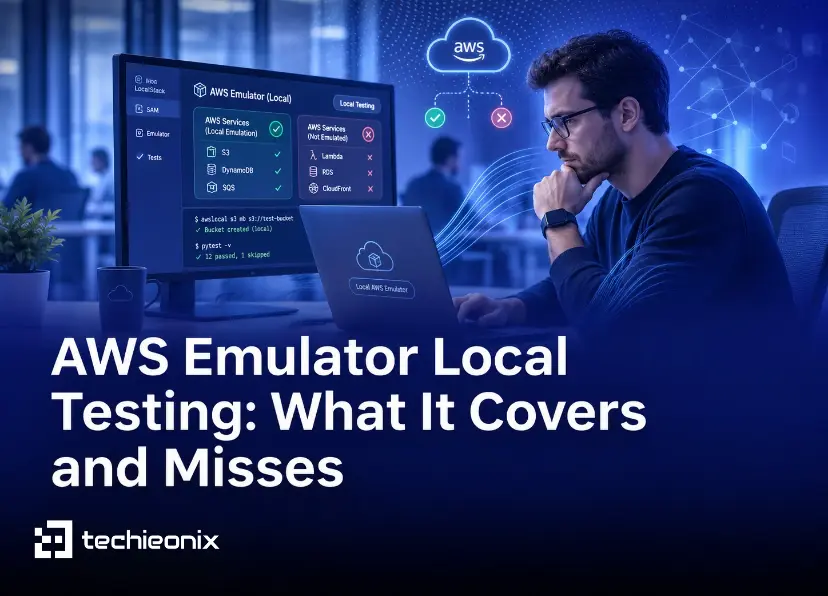

Your engineer changes one line that touches SQS. To test it, they push, wait for a deploy to a shared dev account, run the suite, and find a typo. Then they do it again. AWS Emulator local testing removes that wait: since 11 November 2026, AWS ships a free emulator that answers AWS API calls on a laptop or inside a CI job, with no AWS account. A green test on the emulator still doesn't mean a green test on AWS.
Quick answer: AWS Emulator runs the AWS APIs locally, so your CLI and SDK code can create and use emulated S3 buckets, DynamoDB tables, SQS queues and more without deploying. In early independent testing, common workflows and error paths passed. It does not reliably enforce IAM permission limits, it doesn't separate accounts or Regions, it held less data than AWS in testing, and how closely it matches AWS varies by service. Use it for fast integration checks. Keep security-sensitive permission tests, quotas, load and cross-account flows on a real sandbox account.
The numbers in this post come from the November 2026 launch releases. Check the current release before you rely on them.
What AWS Emulator Local Testing Gives You
AWS describes the emulator as a local program that serves an AWS API endpoint. You start it, set environment variables so the AWS CLI or SDK points at it, and run your code. When it's set up correctly, your requests go to the emulator instead of AWS, and there is no service fee (What is AWS Emulator?, AWS Emulator User Guide).
Mostly the same code. Your application code usually only needs the endpoint settings. Some SDK clients need extra configuration, as the SQS example below shows.
Runs where your tests run. Native packages on Linux. On macOS and Windows you run it in Docker, from an image you build with AWS's Dockerfile.
AWS-style errors. Try to create a DynamoDB table named "ab" and the emulator rejects it with the same validation error AWS returns.
Failures you can see. An operation that isn't implemented yet returns HTTP 501 NotImplemented, so the test fails right away.
Built for CI. AWS lists three use cases: local testing, CI/CD integration tests and prototyping with AI coding agents.
DevOps Daily ran an independent test on the launch release (v1.0.322). Across 10 repeated starts on their test machine, it reached a healthy endpoint in a median 383.5 ms, and all 40 checks in their nine workflows passed.
How Close Is AWS Emulator to Real AWS?
AWS measures this with fidelity tests: short SDK workflows verified against real AWS. The emulator passes a test only when every call matches, including status codes, side effects and the exact error. A service's fidelity score is tests passed out of tests total, published with every release (Fidelity in AWS Emulator).
An AWS solutions architect counted AWS's own score files (AWS Builder Center):
At launch (v1.0.322), 56.5% of 42,937 scored tests passed. In v1.0.338, released less than two days later, 59.7% of 43,548 passed. Those are different test sets. On the 42,856 tests present in both releases, the pass rate moved from 56.6% to 60.1%.
Per service, v1.0.338 scores ranged from above 90% to below 20%. CloudFormation was at 16.0%.
AWS says control plane APIs (create, describe, delete resources) match most closely. Data plane behavior and support for CloudFormation, Terraform and the CDK vary by service.
The fidelity suite is built to find gaps, while DevOps Daily tested common app paths, so a 40 of 40 result and a 56.5% score can both be true. A score is also a snapshot that can drop as AWS adds tests. Compare scores on the same test version, and only for the services you call.
What AWS Emulator Misses
Permission limits
AWS says the emulator doesn't evaluate IAM and resource-based policies the way AWS does, and that you shouldn't use it to test security. DevOps Daily wrote 32 permission cases on v1.0.322 and compared the emulator's results with what AWS documents. They did not run these cases on real AWS. The emulator matched the documented result in 27 cases, and it caught two missing permissions in the testers' own code.
All five misses allowed a request that AWS documents as refused. They came from controls that narrow access:
A tested permissions boundary didn't stop a write.
A tested session policy didn't stop a write.
A user with no policies assumed an account-trusted admin role, then wrote to S3 and created an IAM user (two of the five cases).
ListBuckets with no policy returned the bucket list.
In that test, every local denial matched AWS's documentation. Its allows did not. A local AccessDenied is a useful hint that a permission is missing. A local success on a permission-sensitive path proves nothing. Verify those on AWS.
Accounts and Regions
Each emulator accepts any account ID and Region but doesn't keep resources separate by either. You can run one emulator per Region for isolated local tests. Real cross-Region and cross-account interactions still need AWS. AWS also verifies behavior only in us-west-2 (us-east-1 for global services), so Region-specific availability differences don't show up.
Size, load and long runs
Everything lives in memory and disappears when the emulator stops. On v1.0.322, DevOps Daily hit caps that AWS doesn't have: 64 MiB per S3 bucket and 1,000 messages per SQS queue. AWS hasn't tested the emulator for load or long-running use, so quotas, throttling and behavior under traffic stay on AWS.
The SQS call that left the laptop
The emulator returns SQS queue URLs in the normal AWS format. In DevOps Daily's test, the JavaScript SDK SQS client (@aws-sdk/client-sqs 3.1167.0) followed the queue URL's host and sent the request to the real sqs.us-east-1.amazonaws.com. Their machine had no real credentials, so AWS rejected it. The authors warn that in a CI job with real AWS credentials in the environment, the same request could go out signed with those keys. Setting useQueueUrlAsEndpoint: false on the SQS client kept the calls local.
Infrastructure as code
In one 25-resource stack, Terraform AWS provider 6.73.0 failed to read S3 bucket tags back through S3 Control, which can't reach the emulator. Provider 5.100.0 applied and destroyed the stack, with one plan difference left. With CloudFormation at 16.0% in v1.0.338, try your own stacks before you plan around local IaC deploys.
Where AWS Emulator Fits in Your CI/CD Pipeline
The emulator sits between mocks and real AWS. The AWS Builder Center article frames it as three layers:
Layer | What it tells you | What it misses |
Mocks and stubs | Whether your own logic works | Any AWS behavior you didn't write into the mock |
AWS Emulator | Whether your tested workflows behave the way the emulator's current release implements AWS | Permission limits, account and Region separation, quotas, load, some data plane behavior |
Real AWS sandbox account | How the behavior your tests cover runs on real services, policies and quotas | Speed, and zero cost per attempt |
To add it to a pipeline:
Pin the emulator version. AWS ships updates many times a day, so an unpinned CI step can behave differently between two runs of the same commit.
Remove real credentials. In the script that runs the tests, unset AWS_ACCESS_KEY_ID, AWS_SECRET_ACCESS_KEY, AWS_SESSION_TOKEN and AWS_PROFILE, and set AWS_EC2_METADATA_DISABLED=true. Check each SDK client's endpoint settings, and block outbound AWS calls from the test job where you can. If the job runs on AWS, give it a role that can only write its own logs. These reduce the risk of a stray real call. They don't remove it.
Run components as their real roles. Create the roles and policies you deploy inside the emulator instead of using its admin key for everything. That's how DevOps Daily found their missing permissions. It doesn't make the emulator a permission test.
Keep a real-AWS stage. Negative permission tests (boundaries, session policies, role trust), quotas, throttling and cross-account flows run against a sandbox account after the emulator stage passes.
Restart between suites. You get clean state and predictable memory use. AWS recommends starting the emulator for your tests and stopping it after.
Check the scores for your services. The two or three services your app calls most matter more than the overall number.
Telemetry is on by default. AWS documents how to turn it off.
What This Looks Like in Practice
We haven't run an AWS Emulator rollout for a client yet. The closest work we've published is our Saudi fintech CI/CD engagement: GitHub Actions pipelines for .NET microservices in the client's Oracle Cloud QA environment, with selective Docker builds so each change rebuilds only the services it touched, and Kubernetes rollouts whose status is checked for each service. It ran on OCI, not AWS, but the principle is the same: give each pipeline stage one clear job, and don't treat an early pass as proof the release is safe.
Cutting unnecessary test deployments may also reduce the cloud resources your team pays for. We cover that side in how pipeline design affects infrastructure spend.
When to Bring In Outside Help
You can pilot this yourself. Pick one repository, point one integration suite at the emulator, remove real credentials, and pin the version.
It gets harder when several teams share pipelines, when your tests depend on IAM boundaries or cross-account roles, or when nobody owns the line between "passes locally" and "passes on AWS." A pipeline review can help there, and it's the work we do through our DevOps consulting and automation services. If you want a second opinion on where the emulator belongs in your pipeline, we'll tell you whether it needs a project or just the six steps above.
Frequently Asked Questions
Is AWS Emulator free?
Yes. There is no service fee and no AWS account needed. You pay for AWS resources only when you deploy to AWS, plus whatever your machine or CI runner costs.
Can I use AWS Emulator in a CI/CD pipeline?
Yes. AWS lists CI/CD integration tests as a main use case. Run one emulator per CI job, pin its version, remove real AWS credentials from the test environment, and keep a later stage that runs permission, quota and cross-account tests on a real sandbox account.
Can AWS Emulator test IAM permissions?
Not reliably. In one independent test of v1.0.322, it matched AWS's documented results in 27 of 32 permission cases, but it allowed requests that permissions boundaries and session policies should have blocked. AWS says not to use it for security testing.
Does AWS Emulator work on Mac and Windows?
Yes, through Docker. On Linux it installs as a native package; on macOS and Windows you build a Docker image from AWS's Dockerfile.
How accurate is AWS Emulator compared to real AWS?
It depends on the service. At launch, 56.5% of AWS's fidelity tests passed overall, with wide gaps between services. Check the current score for each service you use.
Test locally. Catch issues early. Deploy with confidence.